
Best AI Tools for Knowledge Workers 2026: Complete Comparison
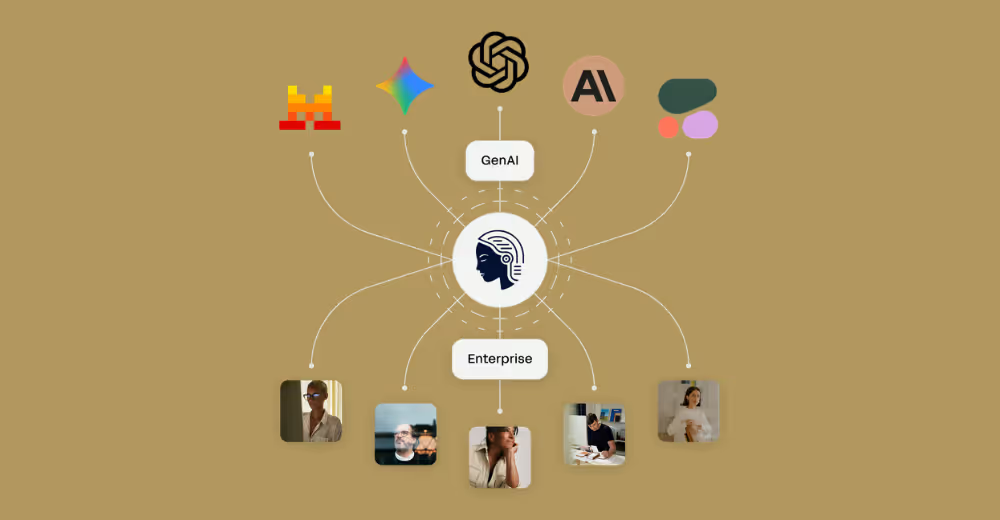
AI tools for knowledge workers look very different in 2026. Early tools were about making one person faster. The leading platforms now start from the fact that knowledge work is done in teams and depends on shared context.
The numbers back this up. AI tools increase business users’ productivity by 66% on average on realistic tasks. According to McKinsey, knowledge work is where AI can reach the most, affecting 60 to 70% of the time workers spend. Even so, most companies can’t get past 10% adoption, because their AI tools were designed for developers, not knowledge workers.
This comparison looks at the best AI tools for business professionals on the things that matter for knowledge work: collaboration, shared context, team workspaces, whether people adopt them without being pushed, and whether expertise spreads to the whole company instead of staying with a few power users.
Understanding the Knowledge Worker AI Gap
Before getting to the tools, it helps to see why most AI platforms let knowledge workers down.
Most AI tools in 2026 fall into one of two groups. Some are developer platforms that are great at compiling code, debugging and other technical work. The rest are consumer chatbots that give one-off answers with no company context and no way for a team to work together.
Knowledge workers need something else. They need AI that knows their business, lets teams work together, shares expertise between departments, and guides people instead of expecting them to become AI experts.
The best AI tools for knowledge workers in 2026 put:
- Team-based workflows ahead of individual productivity
- Shared context ahead of one-off conversations
- Guided experiences ahead of expert prompting
- Natural adoption ahead of mandatory training
- Work across departments ahead of departmental silos
1. elvex: The Enterprise AI Platform Built for Knowledge Workers
Best For: Companies that want AI across the whole organization, with teams adopting it naturally and working together in it
Pricing: Custom enterprise pricing
Key Differentiators: AI that prompts you, team workspaces, shared context, a built-in guidance layer
elvex is the only AI platform built for knowledge workers from the start. Competitors adapted developer tools or consumer chatbots for business use. elvex was designed to solve the collaboration, context and adoption problems knowledge workers actually have.
Why elvex Ranks #1 for Knowledge Workers
The Platform That Guides Your Team
The core difference with elvex is a different starting assumption. Instead of expecting your team to become AI experts, elvex guides them to expert-level results. A built-in guidance layer asks users relevant questions, suggests the best workflow and offers help based on the task in front of them.
That gets rid of the blank page problem that holds back other AI tools. Your marketing team doesn’t need to know how to write the perfect prompt. Your finance team doesn’t need AI training. elvex starts where they are and raises what they can do from there.
Team Workspaces That Enable Real Collaboration
elvex’s team workspaces turn AI from a personal tool into something a team uses together. Teams can:
- Share AI conversations and workflows with all their context intact
- Build on each other’s work instead of starting over
- Create reusable templates that capture what the company knows
- Work together in real time on AI-assisted projects
- Keep conversation history the whole team can see
This is what drives adoption on its own. When one person finds an AI workflow that works, they can share it with colleagues right away. Expertise spreads sideways across the company without waiting on a few experts.
Context Sharing That Preserves Institutional Knowledge
Other tools treat every conversation as separate. elvex keeps context across your company. It understands your business terms, refers back to earlier work and links related conversations across teams and over time.
So the AI gets smarter the more your team uses it. What you learned in Q1 informs Q2 planning. Research your product team did is available to your marketing team. What the company knows adds up instead of scattering.
Natural Adoption Without Forced Training
Microsoft knowledge workers report that forecasting, backlog grooming and communication tasks that used to take weeks now take hours or minutes with well-designed AI tools. elvex gets similar results by letting adoption happen naturally.
Because of the guidance layer, people don’t need much training to get value. They learn by doing, with elvex helping at each step. That produces adoption rates of 80% or higher, against an industry norm of 10 to 15%.
Your Team Doesn’t Need to Be the Expert
Most AI tools assume users will spend time becoming prompt engineers. elvex does the opposite. It builds the expertise into the interface, so your team can focus on their actual jobs instead of learning how AI works.
That means everyone in the company can use advanced AI, not only your power users or technical teams. An analyst who has never used AI gets results as good as your most tech-savvy employee.
Enterprise-Grade Security and Governance
elvex provides SOC 2 Type 2 and HIPAA compliance, so your sensitive business data stays protected. It has fine-grained access controls, audit trails and governance features that let people use AI without putting security at risk.
elvex wasn’t a consumer tool adapted for business. It was built for enterprise security requirements from day one, so your legal, finance and HR teams can use AI knowing their data is safe.
Multi-Model Flexibility
elvex supports multiple AI models (GPT, Claude, Gemini and others), so teams can use the best model for each task. You’re not tied to one vendor, and you always have the most capable AI for the job.
The platform picks the model for you, recommending the best one for the task, and you can override it whenever you want.
elvex Compared to Alternatives
elvex vs. OpenClaw (Developer Tools)
OpenClaw and similar developer tools are excellent at generating code and handling technical work. elvex brings that level of capability to knowledge work. Think of elvex as “OpenClaw for enterprise knowledge workers,” with the collaboration, shared context and guidance that developer tools don’t have.
elvex vs. Claude Cowork (Individual Productivity)
Claude Cowork is very good AI help for one person. elvex extends that to whole teams, with shared workspaces, a way to capture what the company knows, and workflows people build together. Cowork makes an individual more productive. elvex changes what the whole organization can do.
elvex vs. Traditional Enterprise AI (ChatGPT Enterprise, Microsoft Copilot)
Traditional enterprise AI tools give you access to a model with basic security. elvex gives you a full platform with guidance, collaboration, shared context and features designed for natural adoption. One hands your team a tool. The other changes how they work.
Real-World elvex Impact
Companies using elvex report:
- 80%+ adoption at every level of the company (vs. a 10 to 15% industry average)
- Faster time to value for AI projects, down from months to weeks
- Expertise spreading across teams without bottlenecks around a few power users
- AI fitting into existing workflows without mandatory training
- Measurable productivity gains in every department, not only technical teams
See how elvex supports team-based AI workflows → Request Demo
2. Microsoft Copilot: Best for Office 365-Centric Organizations
Best For: Companies that run on Microsoft
Pricing: $30/user/month (requires Microsoft 365 subscription)
Key Strengths: Built into Office, familiar interface, enterprise security
Limitations for Knowledge Workers: Few collaboration features, context limited to Microsoft apps, needs a lot of user expertise
Microsoft Copilot is good at making people more productive inside the Office 365 apps. If your team lives in Word, Excel, PowerPoint and Teams, Copilot gives useful AI help right inside those familiar apps.
What Copilot Does Well
Because Copilot is built into Microsoft’s apps, everyday tasks go smoothly. Drafting emails in Outlook, summarizing meetings in Teams, analyzing data in Excel and building presentations in PowerPoint all get AI help without leaving the app.
For organizations already standardized on Microsoft 365, Copilot needs very little extra infrastructure. Its security model plugs into Microsoft’s existing identity and access management, which makes rollout simpler.
Where Copilot Falls Short for Knowledge Workers
Limited Cross-Application Context
Copilot’s context mostly stays inside each Microsoft app. What you worked out in Excel doesn’t automatically carry into your PowerPoint deck. Research you did in Edge doesn’t connect to your Word document. Knowledge workers need AI that keeps context across their whole workflow, not one app at a time.
Collaboration Challenges
Copilot works inside Teams, but it has no team workspace for working with AI together. Sharing AI-generated insights means copying and pasting by hand, and building on a colleague’s AI work means starting over. It doesn’t support the back-and-forth, shared AI work knowledge workers need.
Expertise Requirements
Copilot assumes people will learn good prompting for each app. There’s no guidance layer to help them find the best workflow or suggest what to ask. Results vary a lot depending on how good each person is with AI, so the team ends up leaning on its power users.
Office 365 Lock-In
If you also use Google Workspace, Notion, Slack or other collaboration tools, Copilot is worth much less to you. It only works inside Microsoft’s products, so teams that use the best tool for each job have to work around it.
When to Choose Copilot
Copilot makes sense if your company:
- Uses Microsoft 365 for all knowledge work
- Has technical people who can work out good prompting strategies
- Cares more about individual productivity than team collaboration
- Doesn’t need AI outside Microsoft apps
If you want AI across the whole company, with natural adoption and team-based workflows, elvex offers things Copilot can’t.
3. ChatGPT Enterprise: Best for AI-Savvy Teams with Custom Needs
Best For: Technical teams comfortable with prompt engineering and building their own integrations
Pricing: Custom enterprise pricing (typically $60+/user/month)
Key Strengths: Strong base model, API access, room to customize
Limitations for Knowledge Workers: Needs expertise, little collaboration, no built-in guidance
ChatGPT Enterprise gives you OpenAI’s most capable models with enterprise security and unlimited usage. For teams with AI skills who want to build their own solutions, it’s a strong foundation.
ChatGPT Enterprise Strengths
The GPT-4 model underneath is still one of the most capable AI systems available. For hard reasoning, creative work and detailed analysis, ChatGPT Enterprise gets impressive results in the right hands.
API access lets technical teams build their own integrations and connect ChatGPT to internal systems and workflows. Companies with developers to spare can build AI experiences tailored to specific use cases.
Enterprise security features, including SSO, data encryption and admin controls, make ChatGPT Enterprise suitable for sensitive business use in a way the consumer version isn’t.
Critical Limitations for Knowledge Workers
The Expertise Gap
ChatGPT Enterprise gives you a powerful engine with no steering wheel. People have to build real prompting skill to get consistent results. Business professionals using AI could write 59% more business documents per hour with the right help, but getting there with ChatGPT Enterprise takes a lot of expertise.
Your marketing, finance and operations teams won’t get expert results on their own. They’ll stare at the blank page, write prompts that don’t work, and eventually give up on the tool. That’s why most companies see 10 to 15% adoption even after buying enterprise licenses.
No Team Collaboration Features
ChatGPT Enterprise treats every conversation as separate. There’s no built-in way to share a conversation with its full context, set up team workspaces or work together on AI-assisted projects. Knowledge workers who need to build on each other’s work end up copying and pasting between sessions, losing context and time.
Missing Organizational Context
Every conversation starts from zero. ChatGPT Enterprise doesn’t keep context about your business, refer back to earlier work or link related conversations across the company. Whatever your team learns stays scattered across individual chat histories.
No Guidance Layer
The platform doesn’t ask users relevant questions, suggest good workflows or offer help in context. Your team has to work out how to use AI well on their own, which makes everyone depend on power users and holds back adoption across the company.
When to Choose ChatGPT Enterprise
ChatGPT Enterprise works for companies that:
- Have dedicated AI teams to support business users
- Can invest in extensive training
- Mostly need AI help for individuals, not team collaboration
- Have developers to build their own integrations
If you want natural adoption, team-based workflows and guided experiences, elvex is the complete platform ChatGPT Enterprise isn’t.
4. Claude Enterprise: Best for Long-Form Analysis and Research
Best For: Research teams, analysts and anyone working with long documents
Pricing: Custom enterprise pricing
Key Strengths: A large context window, careful analysis, strong reasoning
Limitations for Knowledge Workers: Built for individuals, little collaboration, needs prompting skill
Claude Enterprise runs on Anthropic’s Claude 3.5 Sonnet and Opus models and is very good at deep analysis of long material. Its large context window handles whole documents, research papers and long conversations well.
Claude Enterprise Advantages
Superior Long-Form Analysis
Claude’s context window (200K+ tokens) lets it analyze whole reports, contracts and research documents in one conversation. Legal teams report that first-pass contract review time drops by 60 to 80% with AI agents, and Claude handles that kind of work well.
For knowledge workers who regularly work through long documents, Claude’s ability to keep track of all that content is a real benefit.
Nuanced Reasoning
Claude does well on tasks that need careful reasoning, subtle understanding and balanced analysis. Research synthesis, strategic planning and hard problems all benefit from its thoughtful approach.
Enterprise Security
Claude Enterprise includes SOC 2 compliance, data encryption and enterprise security controls suitable for sensitive business use.
Where Claude Enterprise Falls Short
Individual Tool, Not Team Platform
Like ChatGPT Enterprise, Claude Enterprise is built for individual productivity, not teamwork. There’s no built-in workspace sharing, little ability to build on colleagues’ work and nothing for spreading expertise across the company.
Requires Prompting Expertise
Claude has no guidance layer or in-context help. People have to work out good prompting on their own, which creates the same skills gap and adoption problems as other tools built for individuals.
Limited Organizational Context
Each conversation stands alone. Claude doesn’t keep context about your business, link related work across the company or build up what the company knows over time.
No Multi-Model Flexibility
You’re limited to Anthropic’s models. You can’t use GPT-4 for some tasks and Claude for others depending on which fits best.
When to Choose Claude Enterprise
Claude Enterprise makes sense for:
- Research-heavy companies that regularly analyze long documents
- Teams with the AI skills to write good prompts
- Use cases about individual analysis rather than teamwork
- Companies comfortable depending on one model vendor
For AI across the whole company, with team collaboration and natural adoption, elvex offers things Claude Enterprise can’t.
5. Google Gemini Enterprise: Best for Google Workspace Users
Best For: Companies standardized on Google Workspace
Pricing: Included with Google Workspace Enterprise Plus ($36/user/month)
Key Strengths: Built into Google Workspace, multimodal, good price
Limitations for Knowledge Workers: Few collaboration features, context limited to Workspace, fewer integrations and add-ons so far
Google Gemini Enterprise puts AI directly into Gmail, Docs, Sheets, Slides and Meet. For companies deep in Google Workspace, it’s convenient AI help inside apps people already know.
Gemini Enterprise Strengths
Google Workspace Integration
Like Microsoft Copilot in Office 365, Gemini Enterprise is at its best inside Google’s own apps. Drafting emails in Gmail, analyzing data in Sheets and summarizing meetings in Meet all get built-in AI help.
Multimodal Capabilities
Gemini can work with text, images, audio and video together, which opens up use cases other platforms struggle with, like analyzing slides, processing meeting recordings and working with visual content.
Competitive Pricing
Because it’s included with Google Workspace Enterprise Plus, Gemini Enterprise is good value for companies already on Google’s productivity suite.
Critical Limitations
Workspace-Confined Context
Like Copilot, Gemini mostly keeps its context inside Google Workspace apps. Sharing context across apps is limited, and connecting to non-Google tools takes workarounds.
Collaboration Gaps
Gemini has no team workspace for working with AI together. Sharing AI-generated insights, building on colleagues’ work and keeping team context all have to be done by hand.
Developing Ecosystem
Gemini Enterprise is newer than its competitors and has fewer integrations, extensions and third-party tools. Companies that need a lot of customization may find their options limited.
No Guidance Layer
People have to come up with their own prompting strategies, with no in-context help or workflow guidance. That holds back adoption among non-technical knowledge workers.
When to Choose Gemini Enterprise
Gemini Enterprise works for companies that:
- Use Google Workspace for all collaboration
- Value multimodal AI
- Care more about cost than advanced features
- Don’t need much team collaboration
For companies that want AI to reach beyond the productivity suite, elvex gives you the team-based, guided experience Gemini Enterprise doesn’t.
6. Notion AI: Best for Documentation-Centric Teams
Best For: Teams that use Notion as their main knowledge base and documentation tool
Pricing: $10/user/month (requires Notion subscription)
Key Strengths: Built into Notion, uses your knowledge base as context, low price
Limitations for Knowledge Workers: Works only in Notion, limited AI capabilities, no multi-model support
Notion AI adds AI help directly to Notion’s documentation and knowledge management platform. For teams whose workflows run through Notion, it’s handy AI without leaving the app.
Notion AI Advantages
Built Into Notion
Notion AI works inside the Notion interface, helping with writing, summaries and content right in your documentation. For teams that live in Notion, there’s no switching between apps.
Knowledge Base Context
Notion AI can draw on content from across your Notion workspace and base its help on the documentation you already have. That company context is something standalone AI tools don’t have.
Accessible Pricing
At $10/user/month, Notion AI is the cheapest enterprise AI option for teams already on Notion.
Significant Limitations
Notion-Only Functionality
Notion AI only works inside Notion. Teams that also use Slack, email, project management tools or other apps get no AI help outside it. For knowledge workers whose work crosses several platforms, that’s a serious limit.
Limited AI Capabilities
Next to elvex, ChatGPT Enterprise or Claude Enterprise, Notion AI is basic. Complex analysis, hard reasoning and advanced use cases are beyond it.
No Team Collaboration Features
Notion itself supports collaboration, but Notion AI has nothing specific for sharing AI workflows, building team workspaces or spreading expertise across the company.
Single Model Dependency
Notion AI uses one model underneath, with no option to pick a better model for a given task.
When to Choose Notion AI
Notion AI makes sense for:
- Teams that use Notion as their main workspace
- Documentation-focused use cases
- Companies on a tight budget that want basic AI help
- People who are fine with limited AI capabilities
For full AI capabilities across your whole workflow, elvex offers a platform Notion AI can’t match.
7. Jasper AI: Best for Marketing Content Creation
Best For: Marketing teams focused on producing content and keeping the brand consistent
Pricing: Starting at $49/user/month
Key Strengths: Marketing templates, brand voice training, content workflows
Limitations for Knowledge Workers: Marketing only, little general business use, no collaboration features
Jasper AI specializes in marketing content, with templates, brand voice customization and workflows built for marketing teams.
Jasper AI Strengths
Marketing-Optimized Templates
Jasper has ready-made templates for blog posts, social media posts, ad copy, email campaigns and other marketing material. Marketing teams can turn out on-brand content quickly with them.
Brand Voice Training
Jasper learns your brand voice and keeps content consistent with it, so marketing material matches your established tone and messaging.
Content Workflows
Jasper’s workflows walk people through creating content, from the first idea to the final copy, with AI help at every stage.
Critical Limitations for Knowledge Workers
Marketing-Only Focus
Jasper is excellent for marketing content and of little use for finance, operations, legal, HR or other knowledge work. Companies need AI that serves the whole workforce, not only marketing.
No Team Collaboration
Jasper has no team workspaces, shared context or collaborative AI features. Marketing teams working together have to coordinate outside the platform.
Limited General Business Use
Analysis, research, strategic planning and other everyday knowledge work fall outside what Jasper’s marketing focus covers.
No Multi-Model Flexibility
You’re limited to Jasper’s own models and can’t choose a better one for a given task.
When to Choose Jasper AI
Jasper AI works for:
- Marketing teams, as their main use case
- Companies that want a specialist marketing content tool
- Teams fine with a single-purpose AI platform
For AI that serves every knowledge worker across the company, elvex covers far more than Jasper’s marketing focus can.
Key Comparison Dimensions for Knowledge Workers
When you compare AI tools for business professionals, these are the dimensions that decide whether they work in practice:
Collaboration Capabilities
Why It Matters: Knowledge work is done together. AI tools that treat each user as an island limit what the company gets from them.
What to Look For:
- Team workspaces with shared context
- The ability to build on colleagues’ AI work
- Conversation sharing with full context
- Editing and iterating together
- Knowledge sharing between teams
Platform Ranking:
- elvex (team workspaces and collaboration built in from the start)
- Microsoft Copilot (Teams integration, limited AI collaboration)
- Google Gemini Enterprise (Workspace collaboration, limited AI features)
- ChatGPT Enterprise, Claude Enterprise, Notion AI, Jasper AI (very few collaboration features)
Context Sharing and Organizational Memory
Why It Matters: AI that forgets earlier work or can’t draw on company knowledge isn’t worth much. Knowledge workers need AI that gets smarter the more the team uses it.
What to Look For:
- Context that carries across conversations
- Access to company knowledge
- Context shared between teams
- Access to past conversations
- An understanding of your business terms
Platform Ranking:
- elvex (full company context and memory)
- Notion AI (Notion workspace context)
- Microsoft Copilot (Microsoft 365 context)
- Google Gemini Enterprise (Google Workspace context)
- ChatGPT Enterprise, Claude Enterprise (isolated conversations)
- Jasper AI (brand voice only)
Natural Adoption and Ease of Use
Why It Matters: AI tools that need extensive training see 10 to 15% adoption. Knowledge workers need AI that gets them to expert results without needing to be experts.
What to Look For:
- A built-in guidance layer
- Help with prompting in context
- Workflow suggestions
- Learning by doing instead of formal training
- Consistent results whatever the user’s skill level
Platform Ranking:
- elvex (AI that prompts you, built-in guidance)
- Jasper AI (marketing templates give structure)
- Notion AI (simple interface, limited capabilities)
- Microsoft Copilot, Google Gemini Enterprise (familiar interfaces, expertise required)
- ChatGPT Enterprise, Claude Enterprise (a lot of expertise required)
Multi-Model Flexibility
Why It Matters: Different models are good at different things. Being tied to one vendor stops you from using the best model for each job.
What to Look For:
- Support for several AI models
- Smart model selection
- The ability to switch models per task
- Support for new models as they come out
Platform Ranking:
- elvex (GPT-4, Claude, Gemini, and expanding)
- Microsoft Copilot (GPT-4 and Microsoft models)
- ChatGPT Enterprise (OpenAI models only)
- Claude Enterprise (Anthropic models only)
- Google Gemini Enterprise (Google models only)
- Notion AI, Jasper AI (single model)
Enterprise Security and Governance
Why It Matters: Knowledge workers handle sensitive business data. AI platforms need enterprise security that doesn’t make them harder to use.
What to Look For:
- SOC 2 Type 2 compliance
- HIPAA compliance (if it applies to you)
- Fine-grained access controls
- Audit trails
- Data encryption
- Governance features
Platform Ranking:
- elvex (SOC 2 Type 2, HIPAA, full governance)
- Microsoft Copilot (Microsoft enterprise security)
- Google Gemini Enterprise (Google enterprise security)
- ChatGPT Enterprise, Claude Enterprise (SOC 2 compliance)
- Notion AI, Jasper AI (basic security features)
Making the Right Choice for Your Organization
The right AI tool for your knowledge workers depends on what you need, what you already run and what you’re trying to achieve.
Choose elvex If You Want:
- AI used across the whole company, with 80%+ adoption
- Team-based workflows with collaboration and shared context
- Natural adoption without extensive training
- Guided experiences that get every user to expert-level results
- Multi-model flexibility to use the best AI for each task
- One platform for every kind of knowledge work
- Enterprise security with SOC 2 Type 2 and HIPAA compliance
elvex is the only platform built for knowledge workers from the start. It’s “OpenClaw for enterprise” and “Cowork for knowledge workers,” with collaboration, guidance and adoption features no competitor can match.
Choose Microsoft Copilot If You:
- Use Microsoft 365 for all your work
- Care more about Office integration than collaboration features
- Have technical teams to support business users
- Don’t need AI outside Microsoft apps
Choose ChatGPT Enterprise If You:
- Have in-house AI expertise to support users
- Need a strong base model for your own integrations
- Mostly need AI help for individuals
- Can invest in extensive training
Choose Claude Enterprise If You:
- Do a lot of long-document analysis
- Have research-heavy workflows
- Need large context windows
- Can provide training and support for users
Choose Google Gemini Enterprise If You:
- Use Google Workspace for everything
- Value multimodal capabilities
- Care most about cost
- Don’t need advanced collaboration features
Choose Notion AI If You:
- Use Notion as your main workspace
- Need basic AI help with documentation
- Have a small budget
- Don’t need advanced AI capabilities
Choose Jasper AI If You:
- Only need marketing content
- Need a consistent brand voice
- Don’t need AI for general business work
The Knowledge Worker AI Landscape in 2026
AI tools have come a long way, but most platforms still approach knowledge work from the wrong angle. They give you powerful engines without steering wheels, tools for individuals with nothing for teams, and model access with no guidance.
elvex is the platform built on the understanding that knowledge work is collaborative, depends on context and has to be adopted naturally. It’s the only AI tool that prompts you instead of waiting for a prompt, gets your team to expert results without requiring expertise, and supports real team-based AI workflows.
The productivity gains are real. AI tools raise business users’ productivity by 66% on average, and AI could affect 60 to 70% of knowledge workers’ time. Getting those gains depends on choosing the right kind of platform.
Companies that choose tools built for individuals see 10 to 15% adoption and get little value. Companies that choose team platforms with built-in guidance see 80%+ adoption and a much bigger effect.
AI is going to change knowledge work either way. What you control is whether your tools help that happen or create new bottlenecks.
Frequently Asked Questions
What makes AI tools for knowledge workers different from developer tools?
Knowledge workers need collaboration features, shared context, team workspaces and guidance. Developer tools focus on generating code, debugging and technical work. The best AI tools for business professionals put teamwork ahead of individual productivity and guide people instead of expecting expertise.
Why do most organizations struggle with AI adoption?
Most AI tools expect users to become prompt engineers, treat every conversation as separate and have no team features. That leaves skills gaps, makes everyone depend on power users and holds adoption to 10 to 15%. Platforms with built-in guidance and team features reach 80%+ adoption.
How does elvex compare to ChatGPT Enterprise?
ChatGPT Enterprise gives you model access with basic security. elvex gives you a full platform with team workspaces, shared context, built-in guidance, support for several models and features designed for natural adoption. Think of elvex as “ChatGPT Enterprise plus everything knowledge workers actually need.”
What’s the difference between individual AI tools and team platforms?
Individual AI tools treat each user and each conversation separately. Team platforms let people collaborate, share context, build on each other’s work and spread expertise across the company. Since knowledge work is collaborative, team platforms are worth much more.
How important is multi-model support?
Different models are good at different things. A multi-model platform lets you use GPT-4 for some work, Claude for other work and Gemini for particular use cases. You get better results and avoid being tied to one vendor. Single-model platforms force you to compromise.
What security features should enterprise AI tools provide?
Look for SOC 2 Type 2 compliance, HIPAA compliance (if it applies), fine-grained access controls, audit trails, data encryption and full governance features. Consumer tools adapted for business often fall short on enterprise security.