
Flows: Build Reliable Multi-Step AI Workflows
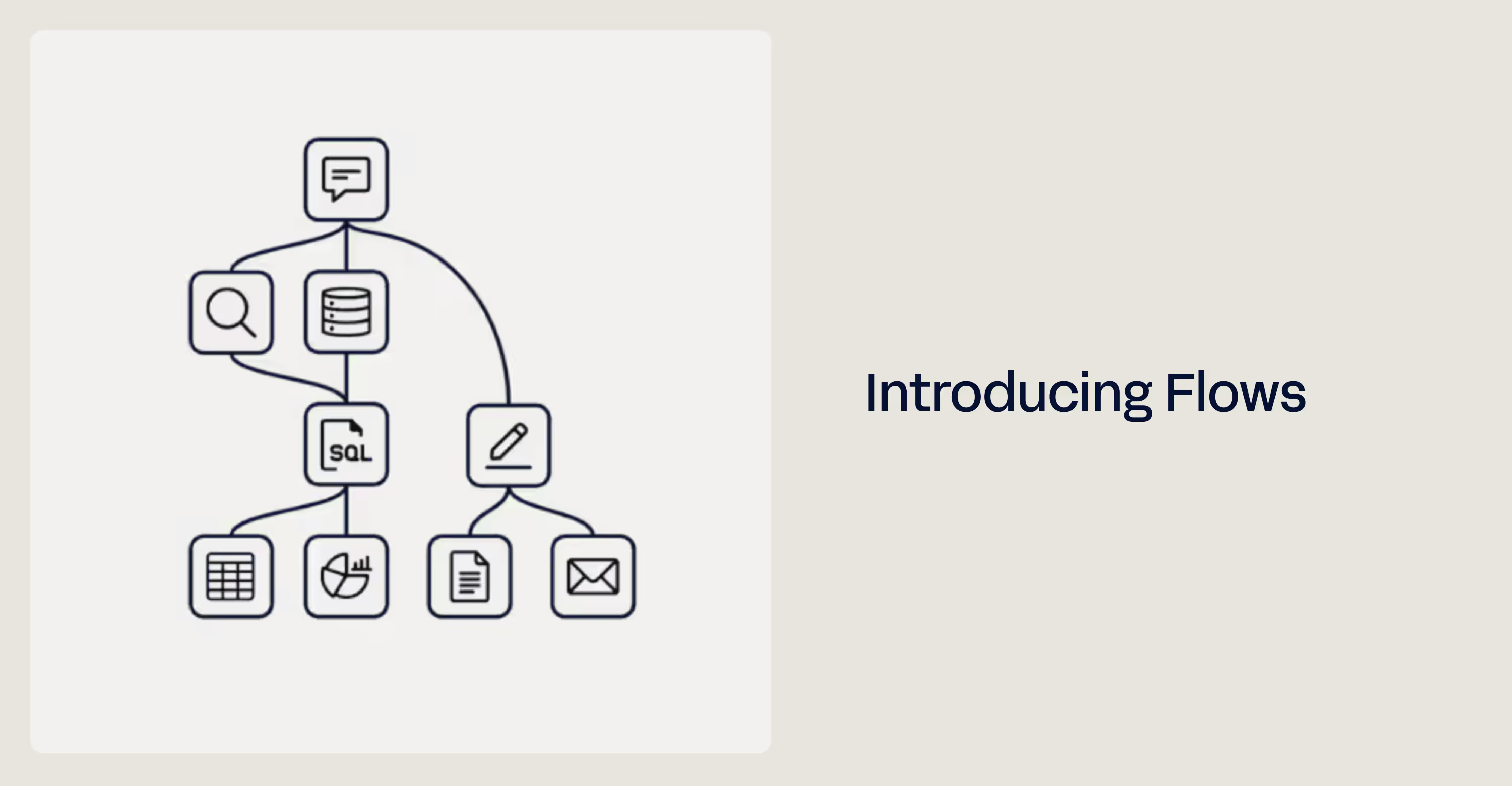
Today we’re releasing a new beta feature, Flows. Flows breaks a complicated AI task into a set of predictable steps that anyone can build and run.
You can see the results, the reasoning and the settings at every step, and each step gets checked before the next one starts. That makes generative AI consistent enough to trust with important business work.
In short, you can now do more with AI.
Watch this video for an introduction to Flows.
Why did we build Flows?
AI can do a lot, but it often doesn’t give people the results they expect. It can be unpredictable, it can make things up, and sometimes it just doesn’t do the job.
The most common cause is asking for too much in one request. Give a model a small, clearly defined task and the right data, and it is very reliable. But most people want more than a small task, so they pack many steps into one request, and the results get worse.
That’s why most AI use over the last few years has looked like a chat. People send small messages back and forth until they’ve worked their way to the answer they want. Chat isn’t going anywhere, but with Flows you can line up those messages to run at the click of a button, each with its own settings, model, data and more.
So instead of having a conversation, you click a button.
Three reasons you’ll love Flows
We think Flows will change what you can get done with AI. Here’s why.
1. Workflow Flexibility & Power
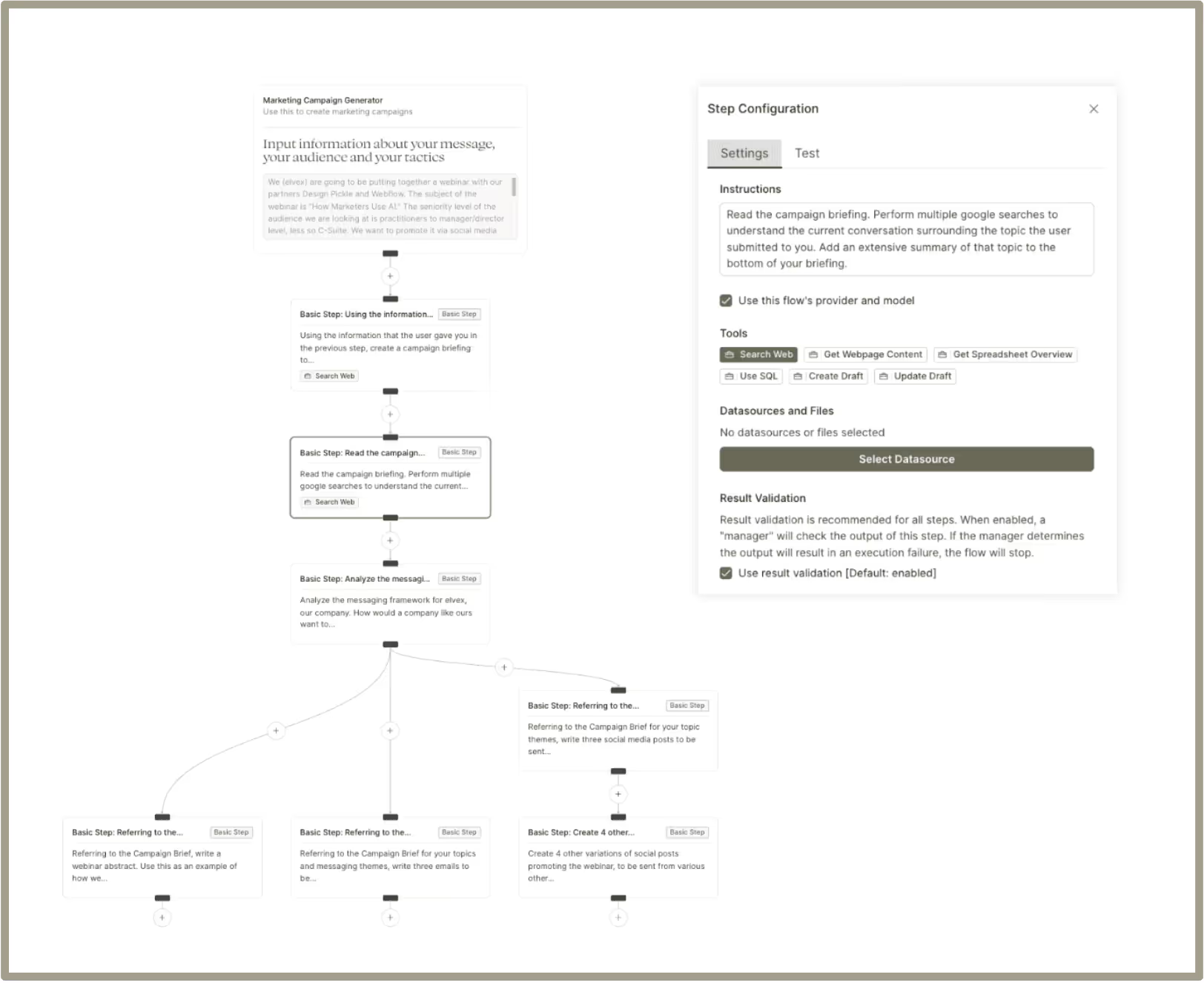
One click runs a series of steps you’ve set up. For each step you choose the instructions, model, tools and data.
- One Click, Multiple Actions: A whole sequence of steps runs from one button.
- Flexible Ordering: Run steps side by side or one after another, whichever the job needs
- Controlled Data Flow: Decide what information passes from one step to the next
- Model Selection: Pick a different AI model for each step
- Reuse Existing Apps: Drop apps you’ve already built into a flow as steps
- Step Tools: Give steps web search, SQL, data sources and other tools
2. Enhanced Reliability & Control
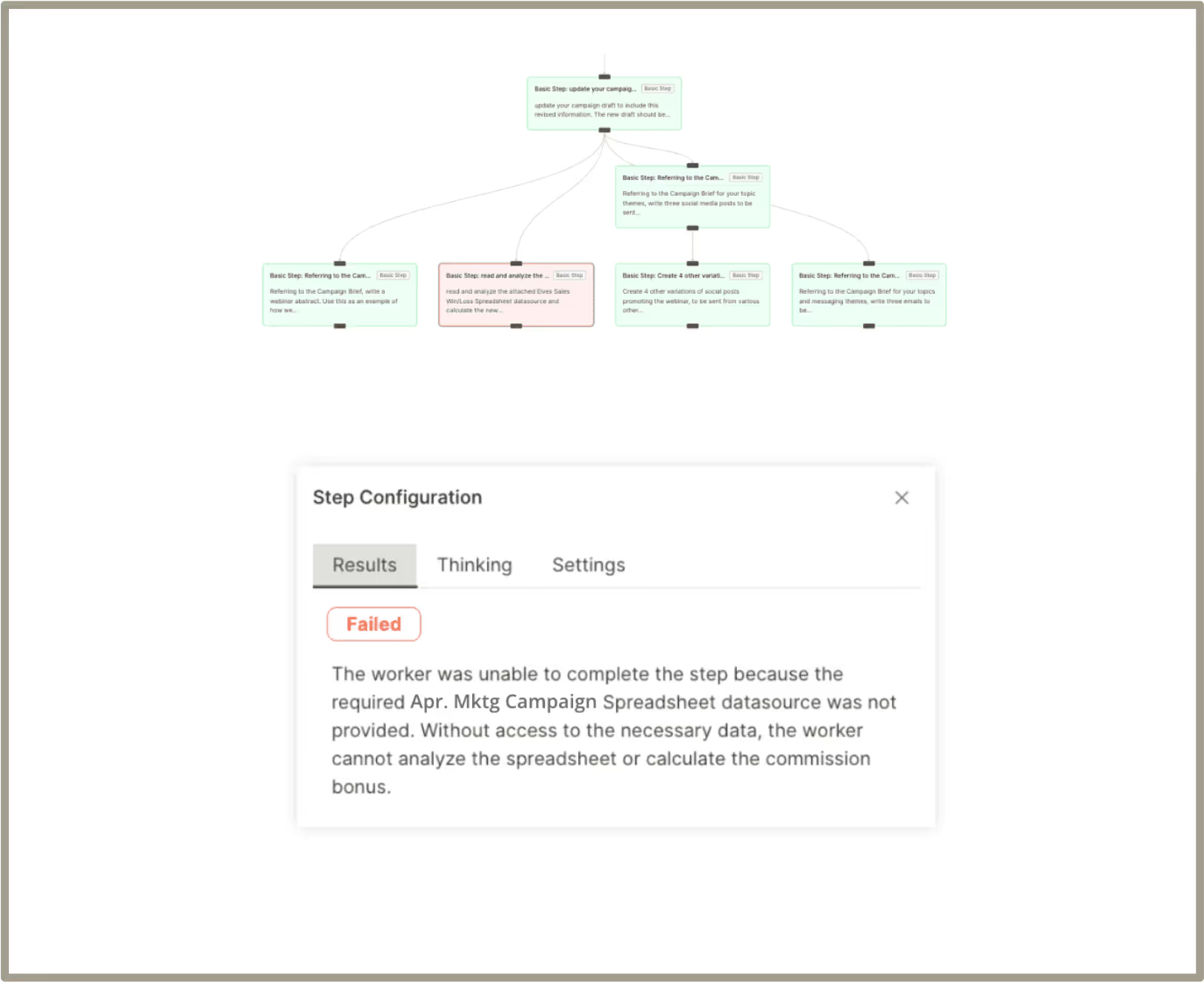
AI checks each step and reviews failures for you, so you can build and test complex Flows faster and get the same results every time you run them.
- Process Validation: A manager agent checks the work at each step
- Failure Review: See exactly where a flow went wrong, with suggestions for fixing it
- Step-by-Step Transparency: View the results, reasoning and settings for every step
- Testing During Build: See what your flow produces while you’re still building it
- Recent Flow Runs: Look back over recent runs of your flows
3. Enterprise-Grade
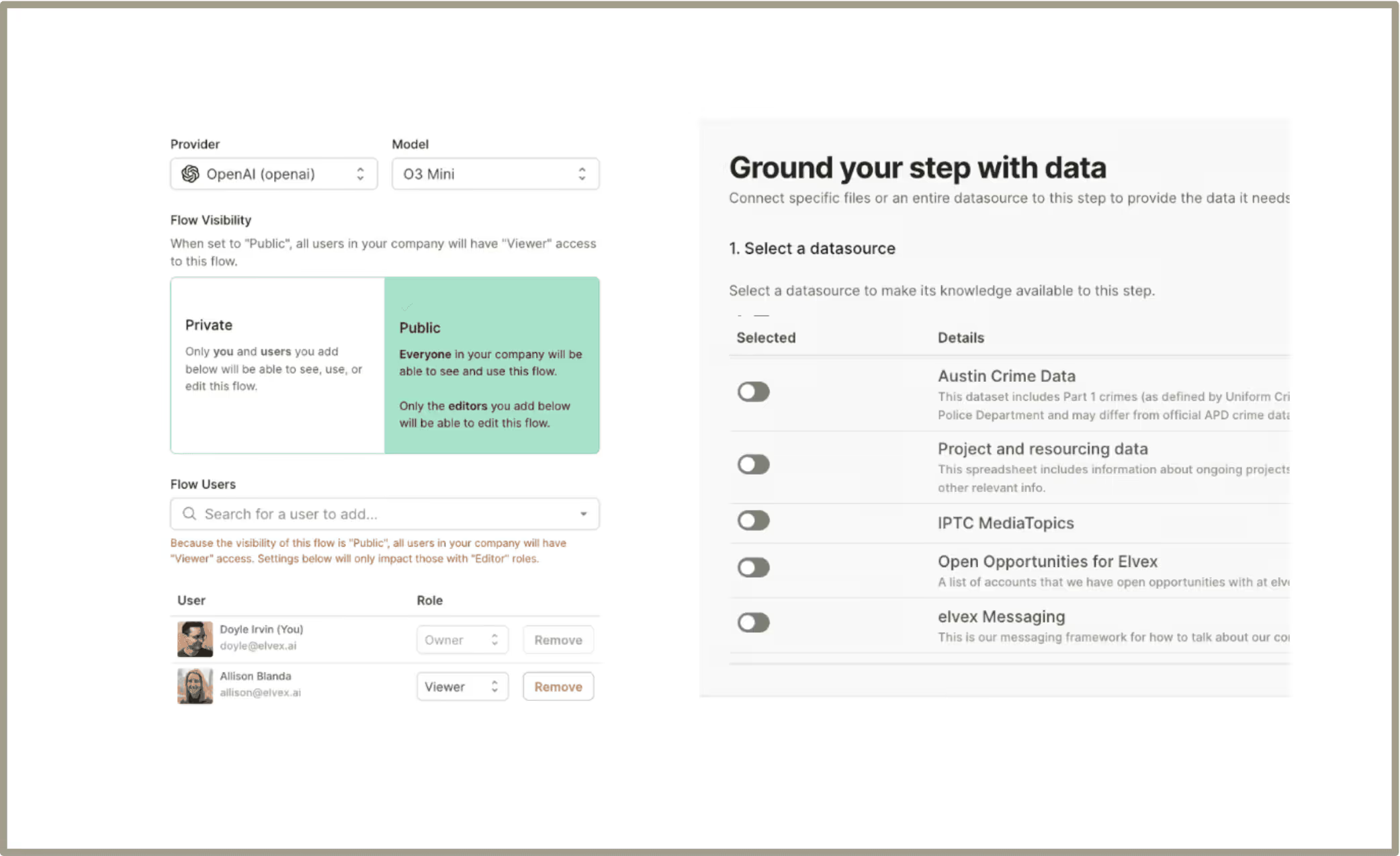
Permissions and connections to your company data let you roll Flows out to your whole team.
- Permissioning Controls: Decide who can use each flow
- Enable Other Users: Give a flow a name, description, welcome message and examples
- Data Source Connection: Connect company data directly to your flows
- Consistent Process Execution: Get the same, deterministic results across the company
- Transparency for Compliance: See how the AI reasoned and what it decided at each step
Tips for troubleshooting flows
Expect to troubleshoot and adjust a Flow before it does what you want. That’s normal, because you can customize almost everything about it. Plan to test and tune each Flow until its results match your needs exactly.
Some tips for getting there:
- If you get an error, read the message. It usually points straight at what went wrong.
- Next, check Results, Thinking and Settings. Think about which Tools and Instructions you’ve given each step. In general, give a step only the instructions, data and tools it needs for one small, specific job.
- Try a different model. Some models are better at some tasks. Simple steps don’t need the big “Thinking” models, but complicated ones might.
- Do less per step. Split up the work.
- This is a beta feature, so you may run into bugs. Use the elvex chatbot in the bottom-right corner of your screen.
Get a demo today
See how we can help modernize your business by talking to our team.